Spot the red flags before you apply
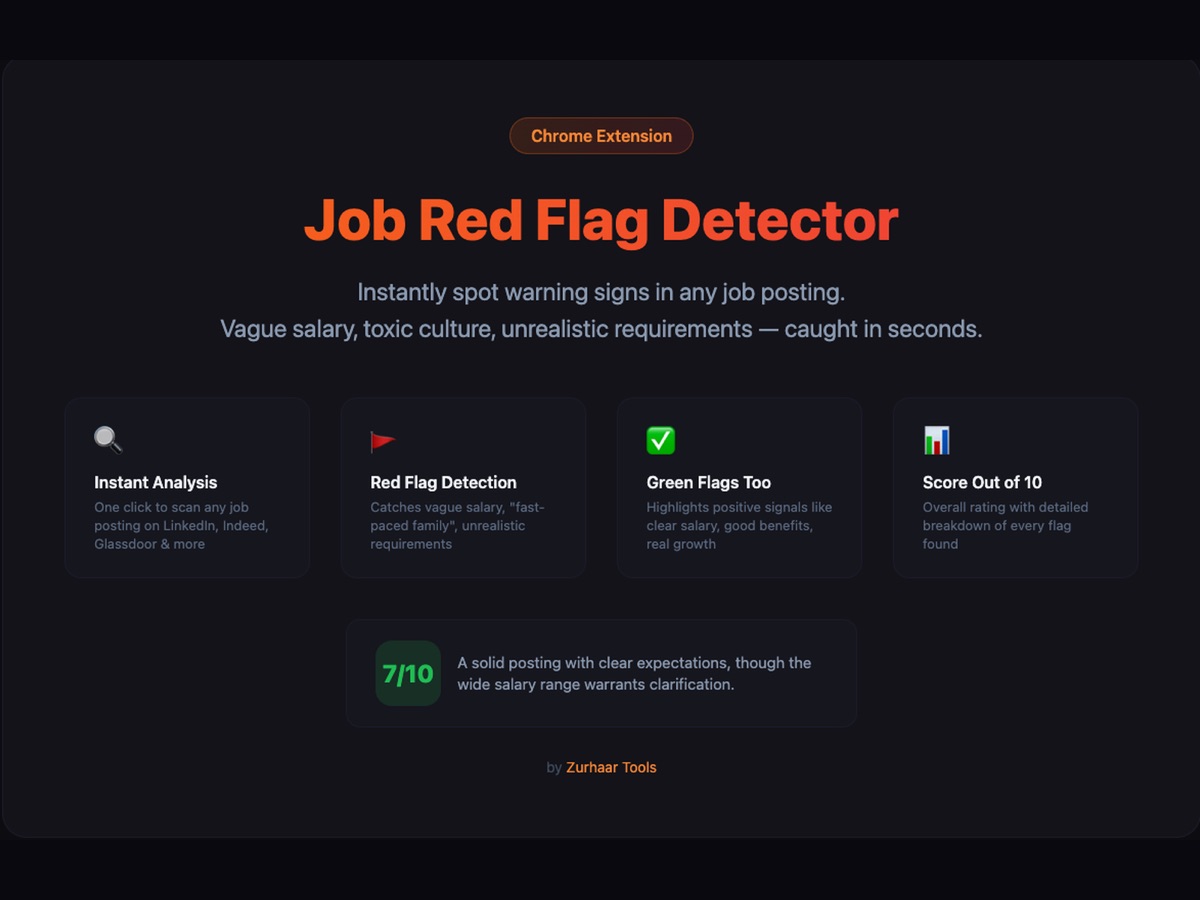
A browser extension that reads any job posting and flags vague salaries, unrealistic requirements, and toxic culture signals — with a score out of 10 and quoted evidence. Works on LinkedIn, Indeed, Glassdoor, and 40+ other job boards.
Also available on Edge Add-ons. Credits never expire.
What it does
Red flags
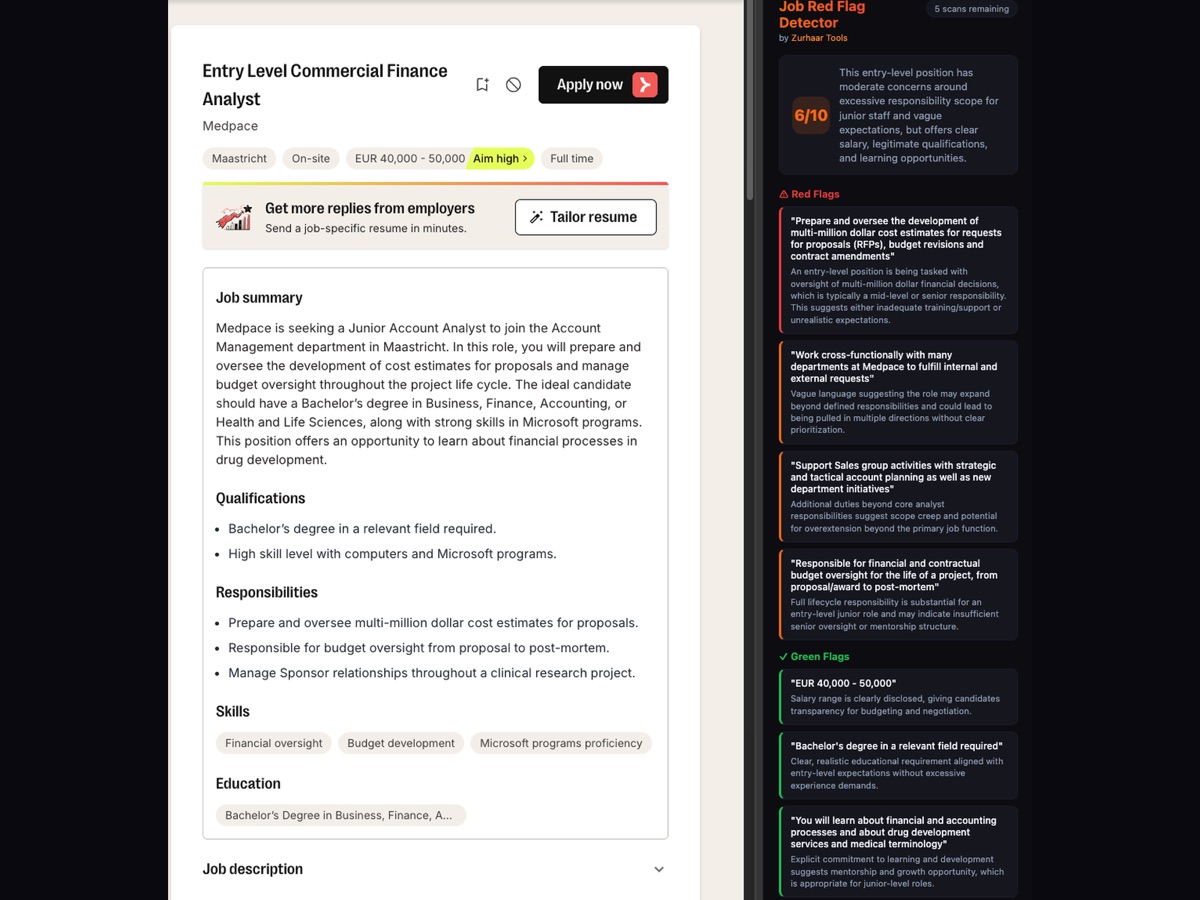
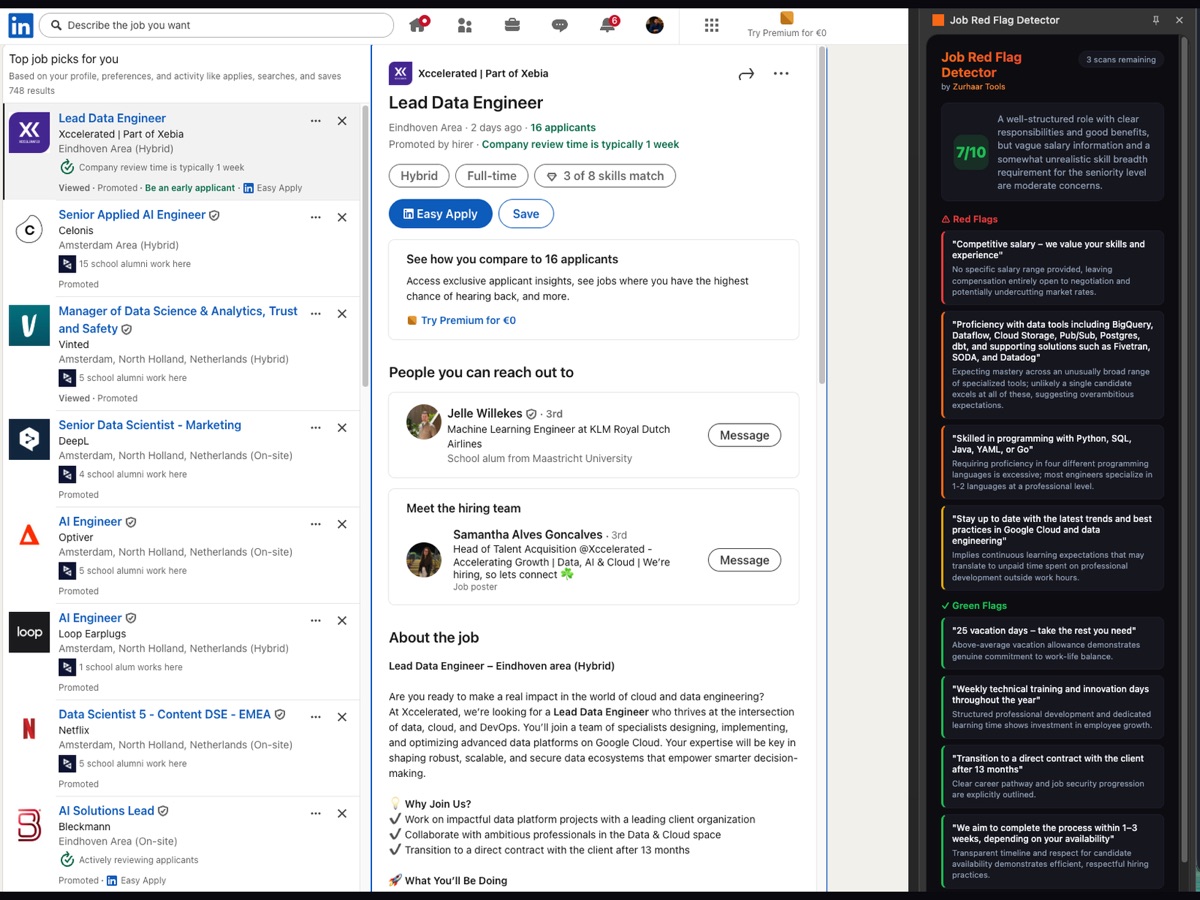
Quoted text + severity for every concern: missing salary, scope creep, "rockstar" language, unpaid trial work, mismatched seniority.
Green flags
Concrete signs of a healthy employer: salary band, hybrid clarity, defined scope, realistic stack, named hiring manager.
Score out of 10
One number that summarises the posting at a glance, color-coded so you know whether to keep reading or close the tab.
Works on any site
Built-in support for 40+ job boards plus a fallback extractor that finds the job description on any company careers page.
See it in action
How it works
Install & activate
Add the extension from the Chrome Web Store or Edge Add-ons. Buy a scan pack, paste your license key into the side panel.
Open a job posting
On LinkedIn, Indeed, Glassdoor — or any company careers page. Click the toolbar icon to open the side panel.
Click Scan, read the report
One credit per scan. Score, red flags, green flags appear in seconds — quoted from the actual posting.
Pricing
Pay per scan. No subscription. Credits never expire.
Starter
50 scans
- ✓ 50 job posting scans
- ✓ Credits don't expire
- ✓ All job sites supported
Standard
150 scans
- ✓ 150 job posting scans
- ✓ Credits don't expire
- ✓ All job sites supported
Pro
500 scans
- ✓ 500 job posting scans
- ✓ Credits don't expire
- ✓ All job sites supported
Questions
Why pay per scan instead of a subscription?
Because job searches aren't constant. Most people scan heavily for a few weeks, then nothing for months. Credits sit on your license key until you use them — no auto-renewal, no recurring charges.
Do credits expire?
No. If you pay for something, you have it forever — that's the rule. Your credits stay on your account until you use them.
Which job sites does it work on?
LinkedIn, Indeed, Glassdoor, Monster, StepStone, Greenhouse, Lever, Workday, Wellfound, Otta, and 40+ more out of the box. For anything else — including company careers pages — a fallback extractor finds the job description automatically.
How accurate is the analysis?
Every flag is backed by quoted text from the posting, so you can verify the reasoning yourself. The score and severity ratings are guidance, not gospel — use them to decide what to read more carefully, not to auto-reject jobs.
What data do you collect?
Only the job posting text you actively choose to scan, plus your license key. Nothing is stored after the scan completes — see the privacy policy for details.
Does it auto-scan every job I open?
No. You click Scan when you want a report — never automatically. That way credits only get used when you ask for one.
Can I buy more credits later?
Yes. Any additional purchase with the same email tops up your existing license key automatically. No need to manage multiple keys.
What's your refund policy?
Digital products are non-refundable per EU instant-delivery terms, but if something genuinely doesn't work email [email protected] and it'll get sorted.
Other Zurhaar Tools
Built by the same person. One support email, one quality bar.
ToS Scanner
Scans Terms of Service and Privacy Policies, highlights dangers in plain language.
Learn more →Chrome Extension Kit
Ship your own paid Chrome extension this month — template repo, working backend, lifetime GitHub access.
Join the waitlist →